Creating a home office that fosters both relaxation and productivity can significantly improve your work-from-home experience. Whether you are a remote worker, a freelancer, or simply need a dedicated space to focus, designing your home office with intention can make all the difference. This post will guide you through practical tips and ideas to create an environment that helps you stay motivated, comfortable, and efficient.
Choose the Right Location
Selecting the perfect spot for your home office is the first step. Ideally, choose a quiet corner or a whole room that can be dedicated to work. If you have the option, a space with natural light is excellent because it boosts mood and reduces eye strain.
– Avoid high-traffic areas to minimise distractions.
– Consider proximity to electrical outlets and internet access.
– Ensure the area is well-ventilated to keep fresh air circulating.
Prioritise Comfort and Ergonomics
Comfort is key to maintaining productivity over long hours. Ergonomically designed furniture supports your health and reduces fatigue.
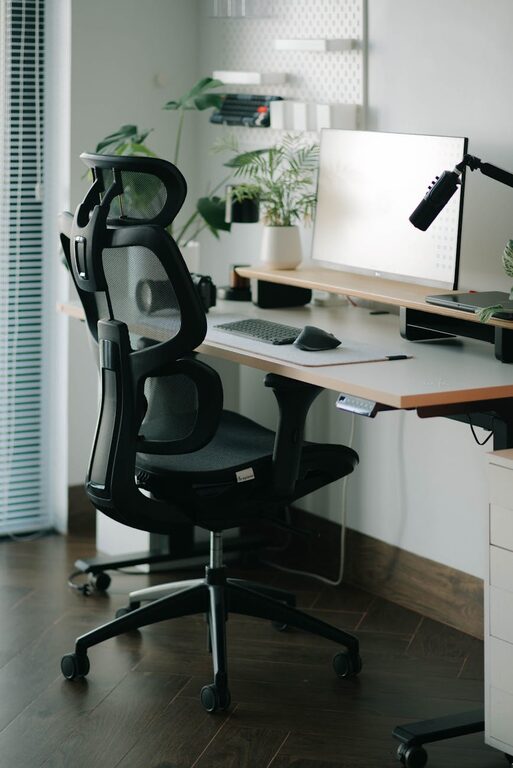
– Invest in an adjustable office chair with good lumbar support.
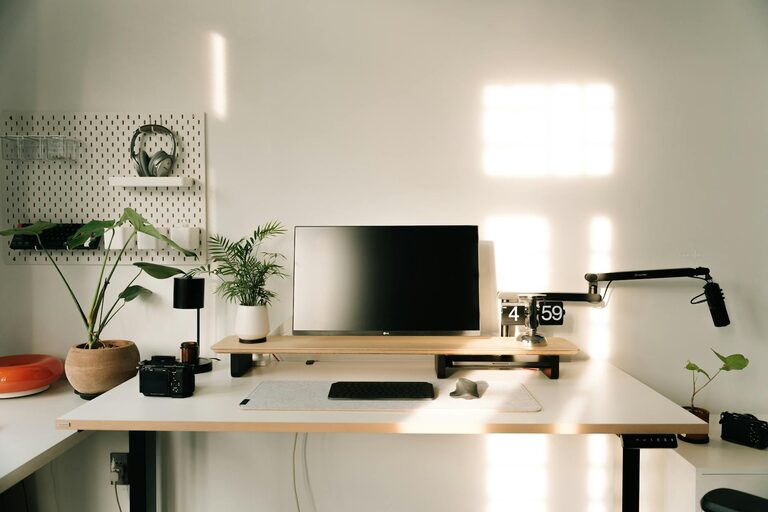
– Use a desk at the appropriate height to avoid strain on your wrists and shoulders.
– Consider a sit-stand desk to alternate your working position.
Pay attention to screen placement to reduce neck strain—your computer screen should be at eye level, about an arm’s length away. Using external keyboards or mouse devices can help improve posture further.
Declutter and Organise Your Space
A clutter-free workspace encourages clear thinking and focus. Here are some tips to maintain organisation:
– Use storage boxes, shelves, or filing cabinets to keep papers and equipment tidy.
– Digitise documents where possible to reduce physical clutter.
– Keep only essential items on your desk to avoid distractions.
– Designate specific places for stationery and gadgets.
Regularly tidying your workspace can prevent mess from building up, helping you start each day with a fresh mindset.
Add Personal Touches Wisely
Personalisation can make your office feel inviting and increase motivation. However, it’s important to strike a balance so your space doesn’t become distracting.
– Add plants for a touch of greenery; they improve air quality and create a calming effect.
– Decorate with artwork or photos that inspire you.
– Choose a colour scheme that soothes or energises you—soft blues and greens are calming, while yellows can boost creativity.
Avoid overcrowding your office with too many decorative items.
Optimise Lighting
Good lighting is essential for both productivity and eye comfort. Natural light is best, but when it’s limited, artificial lighting should be adequate.
– Position your desk near a window if possible to benefit from daylight.
– Use adjustable desk lamps to illuminate your workspace evenly.
– Opt for bulbs that mimic natural light; cool white lights help keep you alert.
– Avoid harsh overhead lights that create glare on computer screens.
Consider installing blinds or curtains to control sunlight, preventing it from becoming a distraction or source of heat.
Manage Noise Levels
Noise can be a major disruption while working. To create a peaceful environment:
– Use noise-cancelling headphones or white noise machines to block out distractions.
– Choose a room with thick walls or consider adding soundproofing panels if external noise is a problem.
– Set household expectations about quiet times during work hours.
Soft background music at a low volume can sometimes improve concentration, but avoid anything too engaging.
Implement a Routine and Boundaries
Designing your environment is not only about physical space but also the routines and habits that go with it.
– Set clear work hours to help separate work from personal life.
– Incorporate short breaks to stretch and refresh.
– Keep your work and leisure items in different areas to mentally switch off from work at the end of the day.
Establishing boundaries helps keep your work zone distinct and supports productivity.
Invest in Quality Technology
Having reliable technology helps you work efficiently without unnecessary frustration.
– Ensure your internet connection is fast and stable.
– Use a computer and peripherals that meet your work requirements.
– Consider cable organisers to prevent wires from cluttering your desk.
– Keep device batteries charged and software updated regularly.
Technology that works seamlessly reduces stress and keeps you focused on tasks.
Keep Health and Wellbeing in Mind
Remember that your mental and physical health contribute to how productive and relaxed you feel.
– Take regular breaks to rest your eyes and stretch your body.
– Keep water and healthy snacks handy to stay hydrated and nourished.
– Practice mindfulness or breathing exercises to manage stress.
Small habits support longer-term wellbeing and a pleasant work environment.
—
Creating a home office that merges relaxation with productivity is achievable by combining comfortable furniture, good organisation, adjusted lighting, and attention to your routine. Tailor your workspace to your unique needs and preferences and you’ll find working from home both enjoyable and effective.
About the Author