
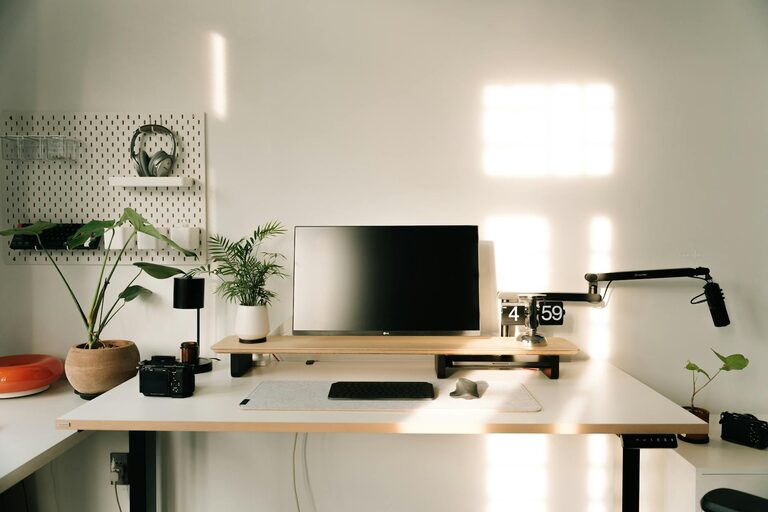
Creating a productive home office space is essential for anyone working remotely or blending work and home life. A well-organised, comfortable workspace helps maintain focus, reduce distractions, and improve overall efficiency. Whether you have a dedicated room or a small corner in your living area, the right setup can make all the difference.
Choose the Right Location
Finding the best spot for your home office involves considering several factors. Ideally, select a quiet area away from high-traffic parts of your home. Natural light is a big plus—it can boost mood and reduce eye strain—so a space near a window is preferable.
If space is limited, even a small nook or part of a bedroom can work, as long as it’s as free from distractions as possible. Make sure you have enough room for your desk, chair, and any equipment you need without feeling cramped.
Focus on Ergonomics
Comfort and good posture are crucial for long hours at your desk.
Invest in a Quality Chair
A supportive office chair with adjustable height and lumbar support helps prevent back pain and fatigue. Avoid using dining chairs or sofas as main seating for work.
Desk Height and Setup
Your desk should allow your elbows to rest at about 90 degrees when typing. If you can’t change the desk height, consider an adjustable chair or footrest. Position your monitor at eye level to avoid neck strain.
Use Accessories to Improve Comfort
Keyboard trays, wrist rests, and adjustable monitor stands can improve ergonomics further. Remember to take regular breaks to stretch and move around.
Organise with Purpose
A tidy workspace reduces mental clutter and helps you focus.
Declutter Your Desk
Keep only the essentials on your desk: computer, notebook, pen, and perhaps a personal item like a plant or a photo. Store other items in nearby drawers or shelves.
Storage Solutions
Use filing cabinets, shelves, desk organisers, or boxes to keep paperwork and supplies organised. Label storage containers so you can easily find what you need.
Manage Cables
Messy cables can be distracting and unsafe. Use clips, sleeves, or ties to keep cables neat and out of the way.
Maximise Lighting
Good lighting reduces eye strain and helps maintain energy.
Utilise Natural Light
If possible, sit close to a window to benefit from natural daylight. Position your screen to avoid glare from the sun.
Supplement with Artificial Lighting
Use a desk lamp with adjustable brightness and colour temperature. Soft white light is generally best for work. Avoid harsh overhead lighting that creates shadows.
Minimise Distractions
Creating boundaries between work and home life is key.
Set Clear Boundaries
Let family members or housemates know your working hours and that you need quiet time. Use headphones to block noise if needed.
Use Visual Cues
A closed door or a “do not disturb” sign can signal when you shouldn’t be interrupted.
Personalise Your Space
Adding personal touches helps make your workspace inviting and motivating.
Plants and Greenery
Indoor plants improve air quality and bring a calming effect to the room.
Personal Items
Photos, artwork, or small ornaments can boost your mood, but avoid over-decorating which could clutter the space.
Technology and Connectivity
Reliable technology supports smoother workdays.
Upgrade Your Equipment
Invest in a good-quality computer, webcam, microphone, and any specialised tools your work requires.
Ensure Strong Internet
A fast, stable internet connection is vital for video calls, uploading, or downloading files.
Maintain Routine and Discipline
A well-designed space is a great start, but maintaining productivity also depends on your habits.
Set a Schedule
Keep regular working hours to separate work from personal time.
Take Breaks
Step away from your desk regularly to rest your eyes and stretch.
Final Thoughts
Building a productive home office space is about balancing comfort, organisation, and environment. With thoughtful choices in location, furniture, lighting, technology, and personal touches, you can create a workspace that supports focus and wellbeing. Remember, your office should work for you—feel free to adjust and improve as your needs evolve.
About the Author